Configurator
Start configuration

This DB12 Quick Start Guide is designed to give you a concise overview of the systems available in your car.
Please keep in mind that the driver assistance systems are meant to aid you—they are not a substitute for your full attention and control. You remain in charge of your vehicle at all times.
This guide does not replace the full DB12 owners guide which contains more detailed information on how the DB12 systems work as well as additional safety information.
Not all information in this guide may apply to your DB12 specification due to options or market availability.
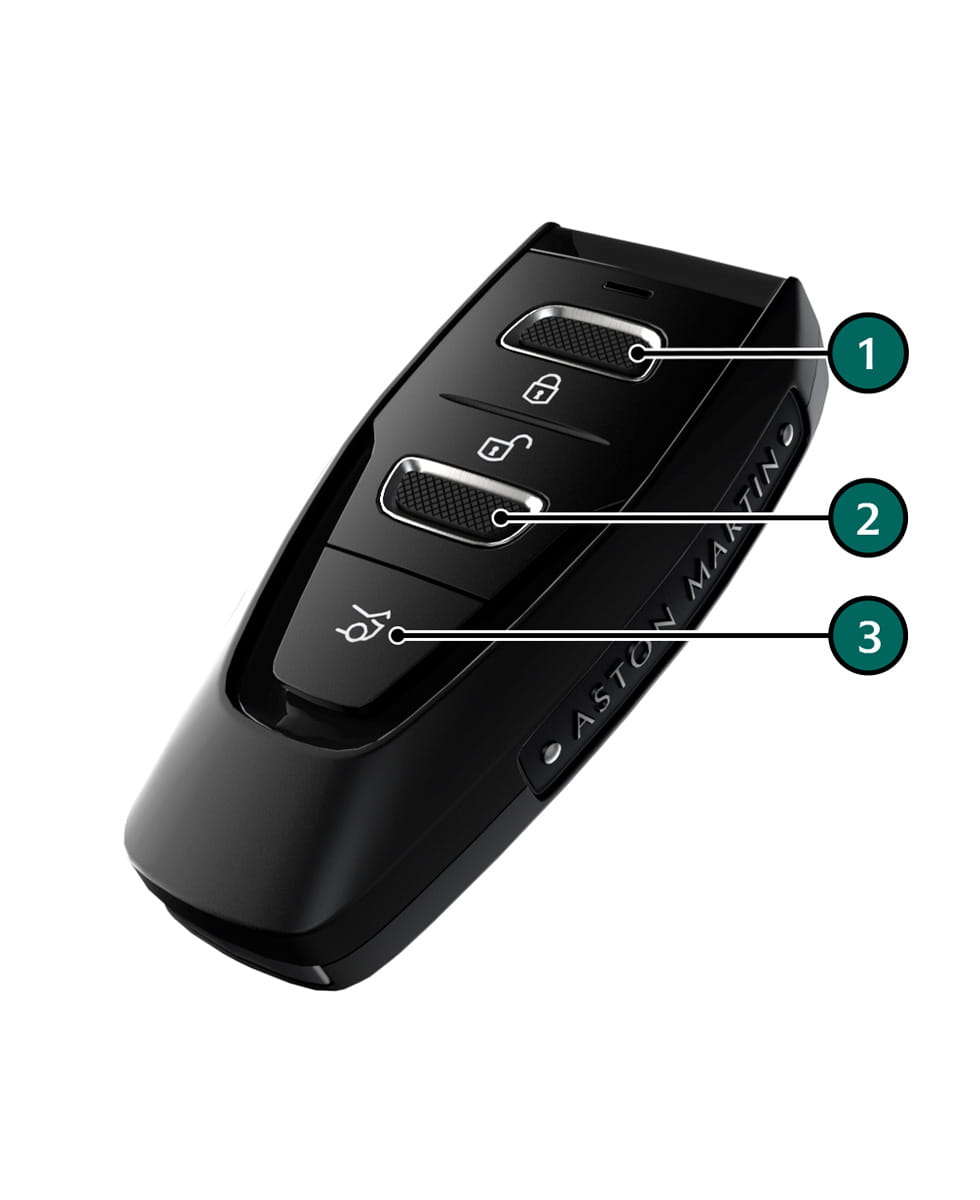
[1] : Lock
[2] : Unlock
[3] : Deck lid Open
Global Close (Subject to market availability)
Press and hold to unlock or to lock all vehicle doors and open all windows.
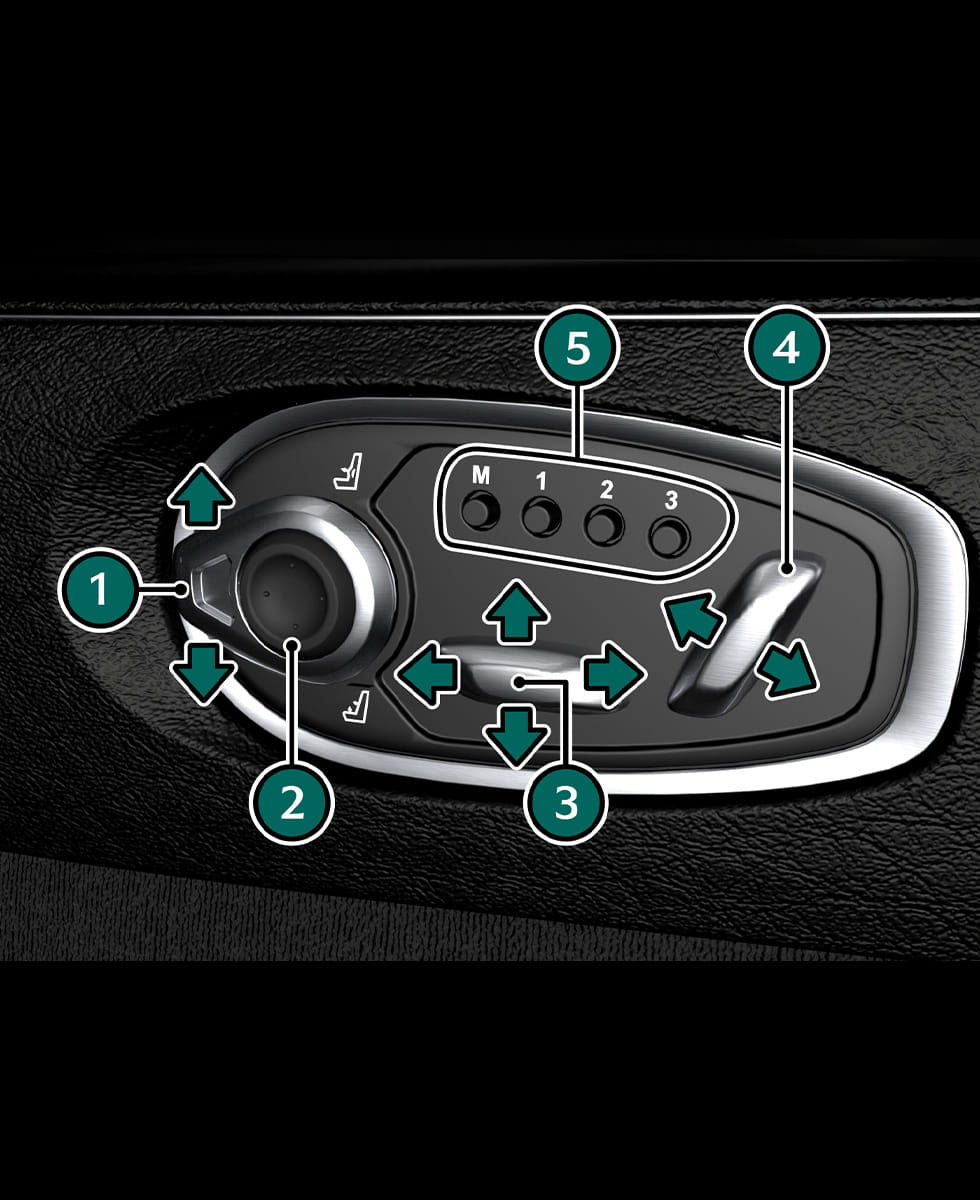
[1] : Bolster/Lumbar selector switch.
[2] : Bolster/Lumbar adjustment.
[3] : Seat base adjust.
[4] : Seat backrest adjust.
[5] : Memory seat positions.
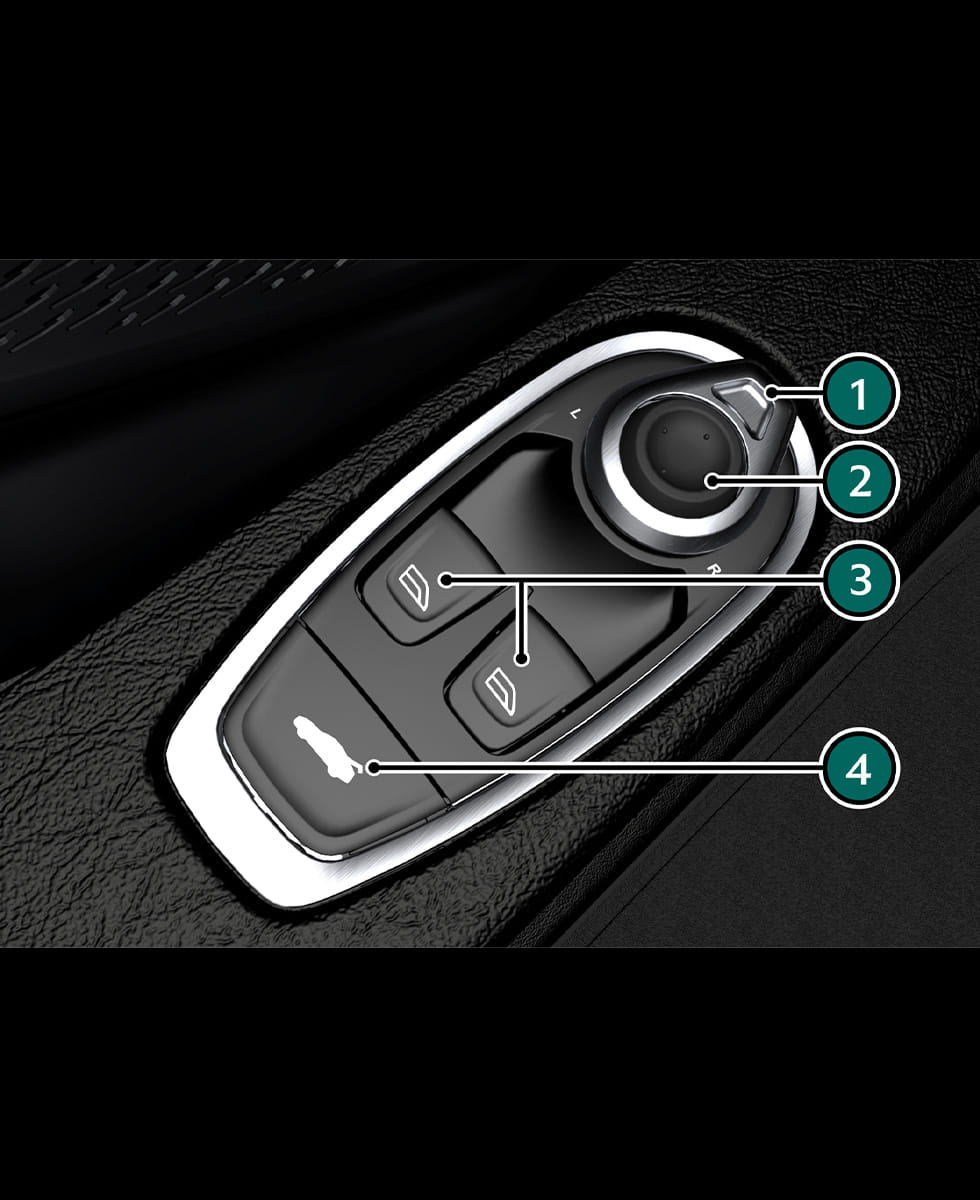
[1] : Door Mirror Selector.
[2] : Door Mirror Adjustment.
[3] : Window Switches.
[4] : Deck Lid (Press and hold).
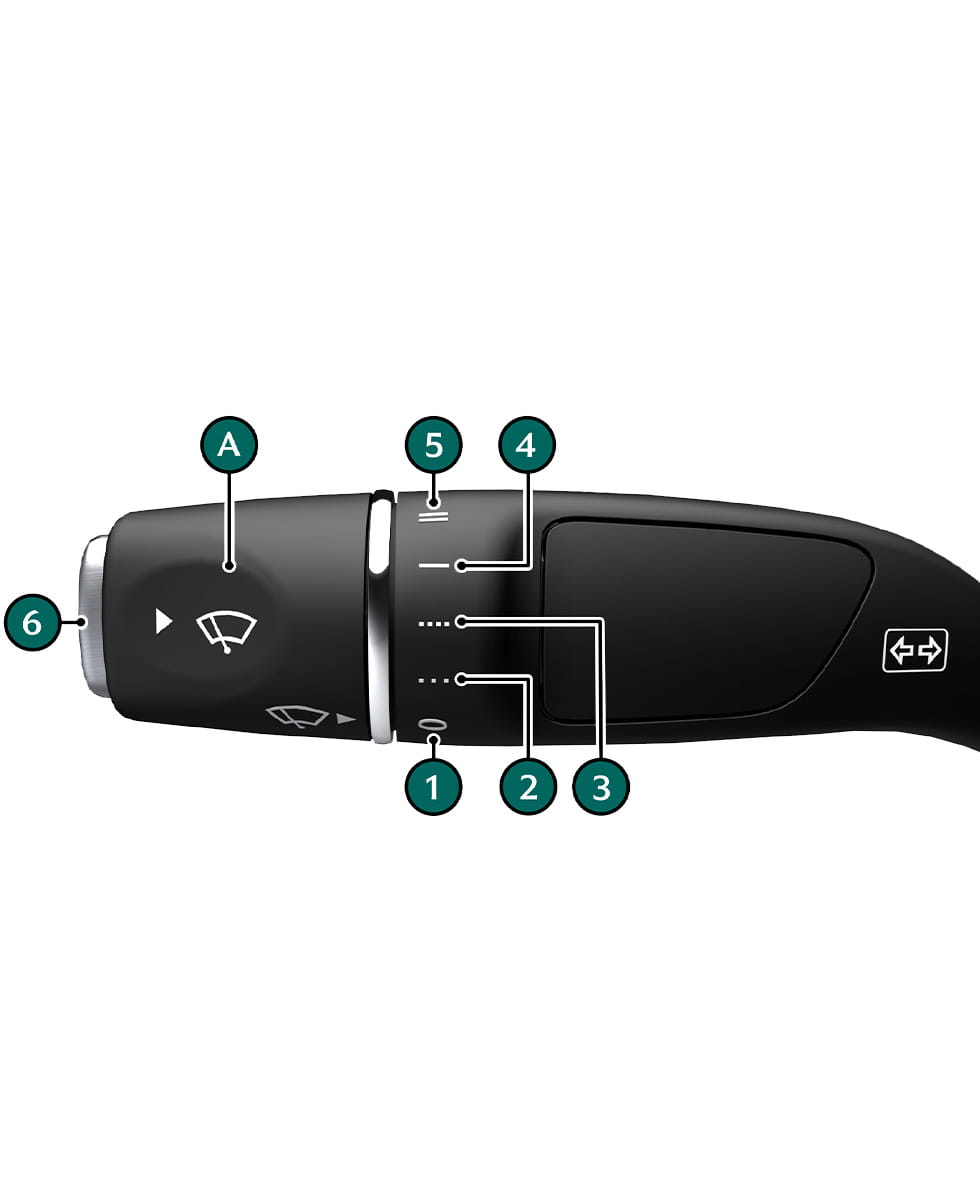
Rotate (A) to select a wipe speed.
[1] : Windscreen wipers off
[2] : Intermittent wipe (low rain sensor sensitivity)
[3] : Intermittent wipe (high rain sensor sensitivity)
[4] : Continuous wipe (slow)
[5] : Continuous wipe (fast)
[6] : First detent for single wipe. Second detent for front windscreen washers.
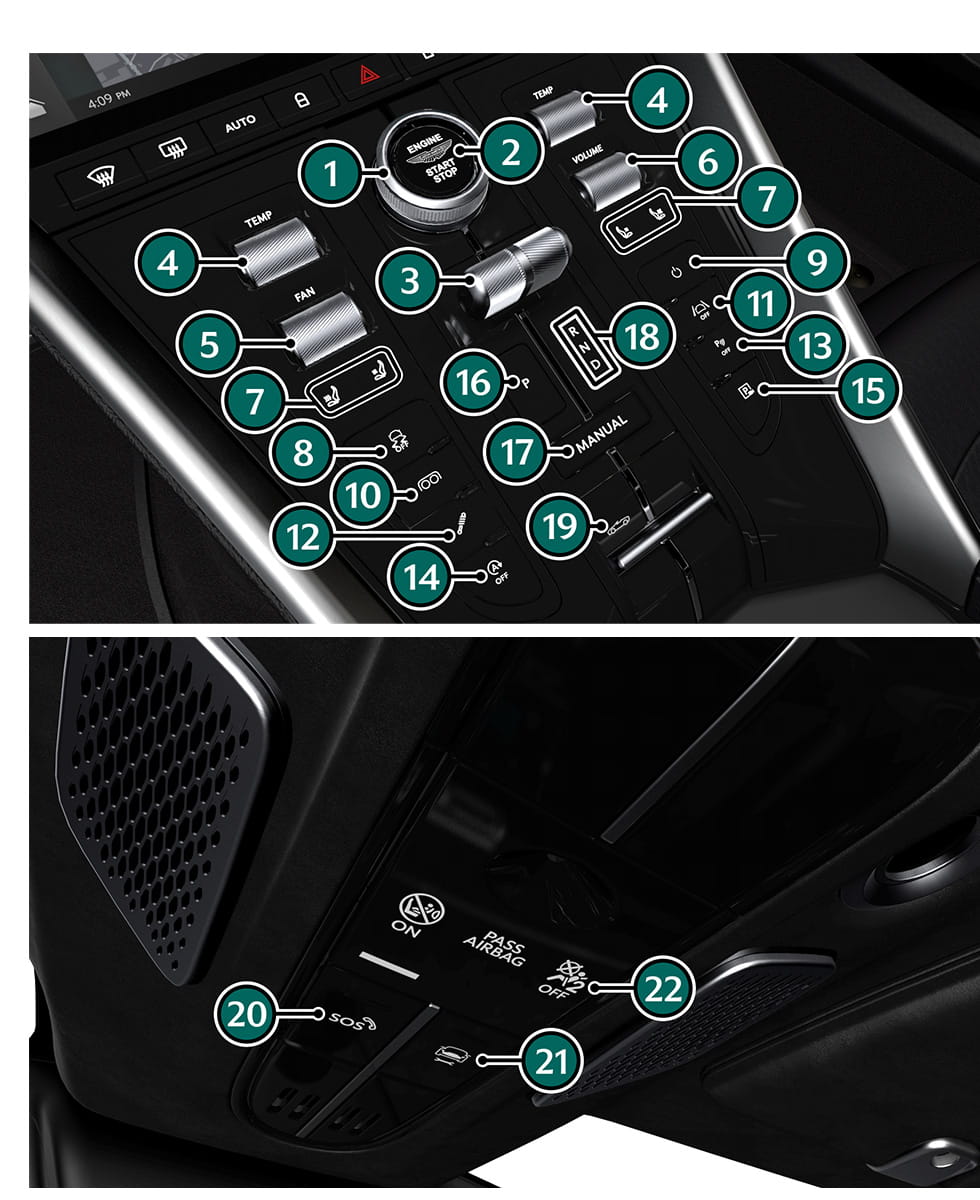
[1] : Drive Mode Selector
[2] : Engine Start/Stop
[3] : Transmission Selector
[4] : Temperature
[5] : Fan Speed
[6] : Volume
[7] : Heated/Cooled Seats
[8] : Electronic Stability Program
[9] : Infotainment On/Off
[10] : Exhaust Mode
[11] : Assistance Menu
[12] : Adaptive Damping
[13] : Park Distance Control
[14] : Stop/start
[15] : Camera
[16] : Park Select
[17] : Manual Mode
[18] : Transmission Status Indicator
[19] : Convertible Roof Switch
[20] : SOS
[21] : Breakdown Call
[22] : Passenger Airbag Status
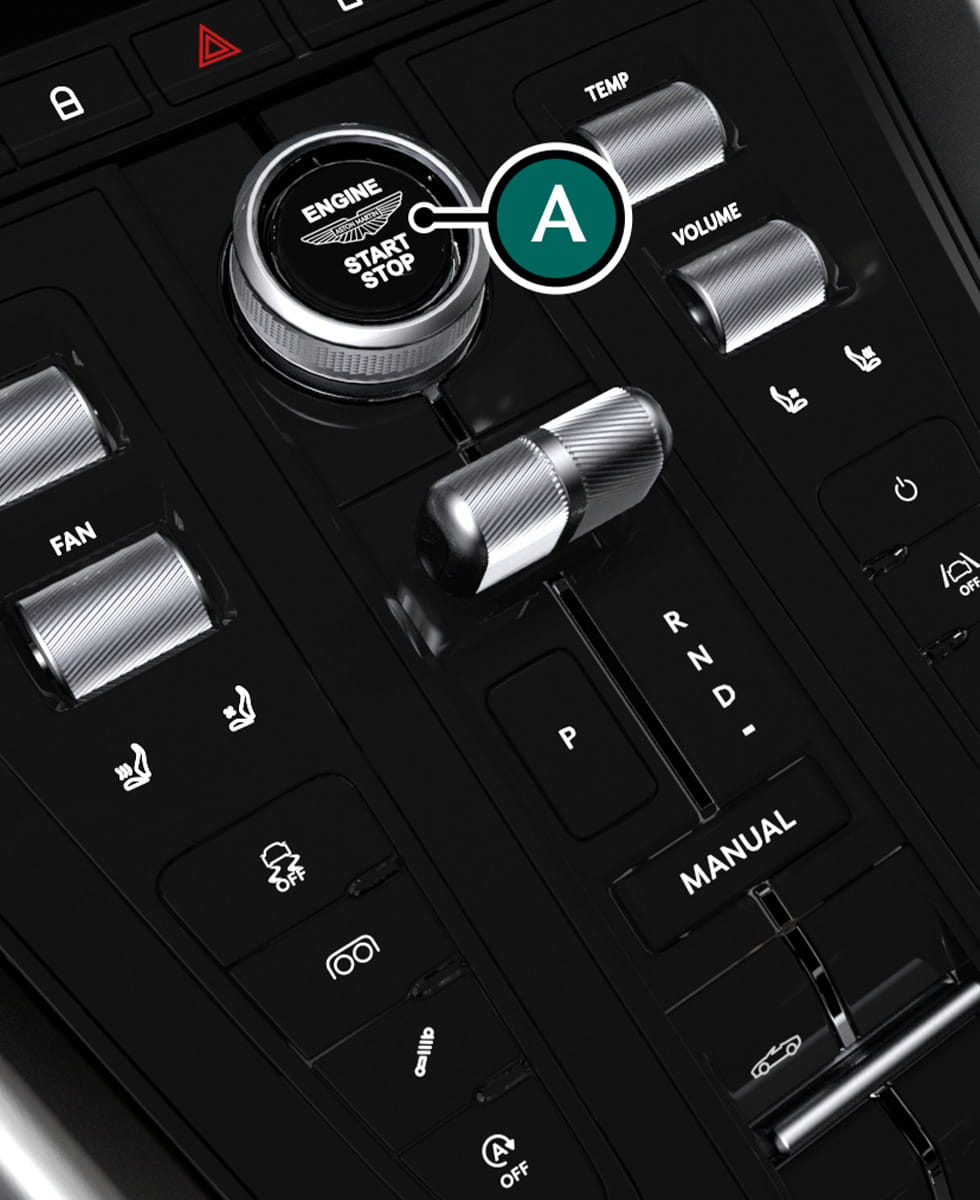
To start the engine, press the brake pedal and press START/STOP (A) with the transmission in Park (P).
Press again to turn the engine off.
Warning: The engine can be started by any person in the vehicle if the brake pedal is pressed down. Care should be taken that the vehicle is not left unattended with the key present and occupants such as young children inside.
Caution: In extreme low temperatures (-20°C and below) do not run the engine above 4000 rpm, while at standstill or when moving off, until the coolant temperature gauge reaches normal operating temperature. If you do, there is a risk of damage to the engine and transmission.
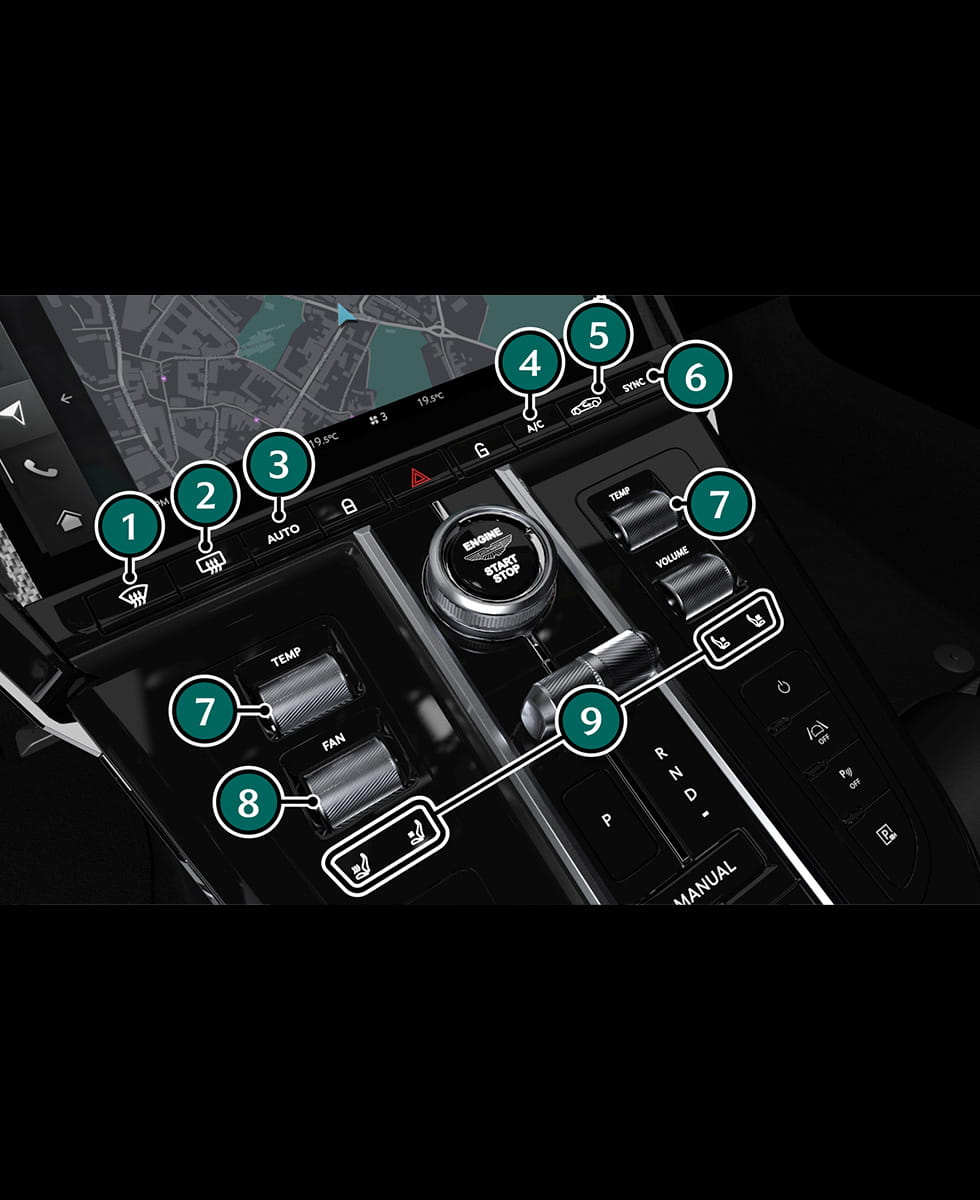
[1] : Demist
[2] : Heater Rear Window
[3] : Auto
[4] : A/C
[5] : Air Recirculation
[6] : Sync
[7] : Temperature
[8] : Fan Speed
[9] : Seat Heating/Cooling
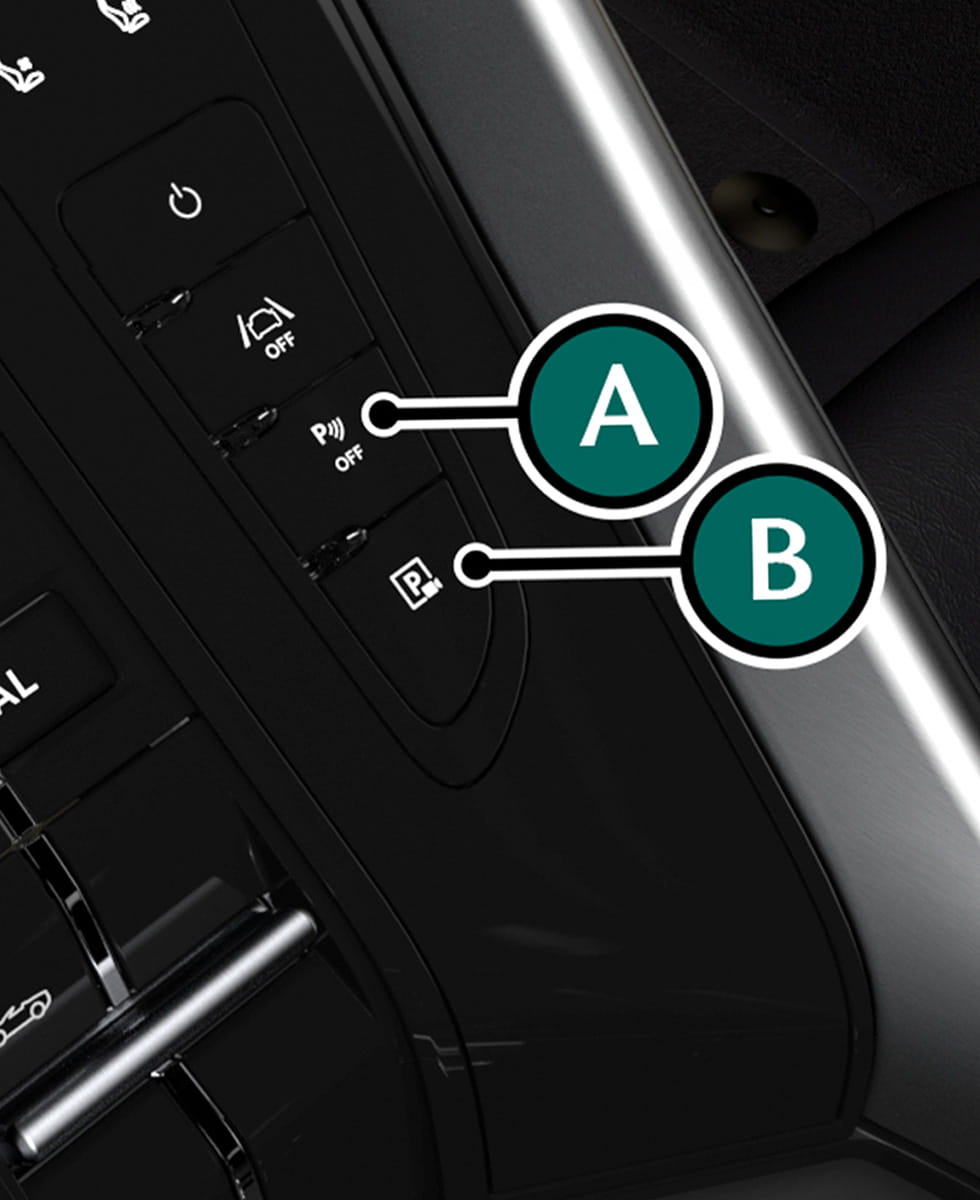
Press (A) to deactivate PDC sensors or (B) to select the 360° camera.
| Gear Selected | Sensors Activated |
|---|---|
|
(D) Drive |
Front sensors only. |
|
(R) Reverse, (N) Neutral |
Front and rear sensors. |
|
(P) Park |
Sensors off. |
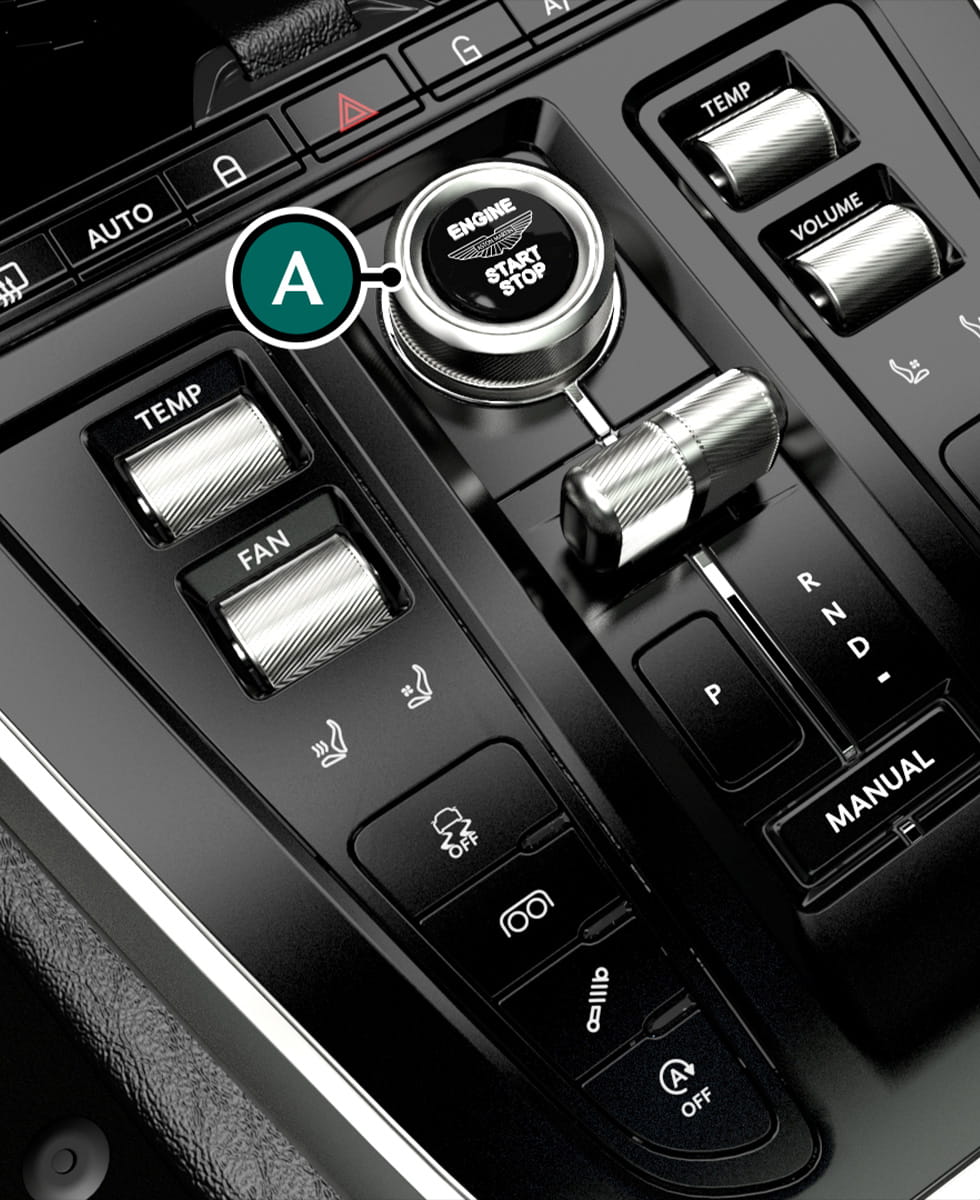
Rotate (A) to cycle drive modes.
Set the drive modes according to the road conditions.
For example, wet mode should be used when the road surface is damp.
Exhaust and suspension modes can be independently controlled via the centre console switches in all drive modes.
| Parameter | Wet | GT | Sport | Sport+ |
|---|---|---|---|---|
| Suspension | GT | GT | Sport | Sport+ |
| Steering | GT | GT | Sport | Sport |
| ESP | Wet | On | On | On |
| Powertrain | Wet | GT | Sport | Sport+ |
| Stop/Start | On | On | Off | Off |
| Exhaust | GT | GT | Sport | Sport+ |
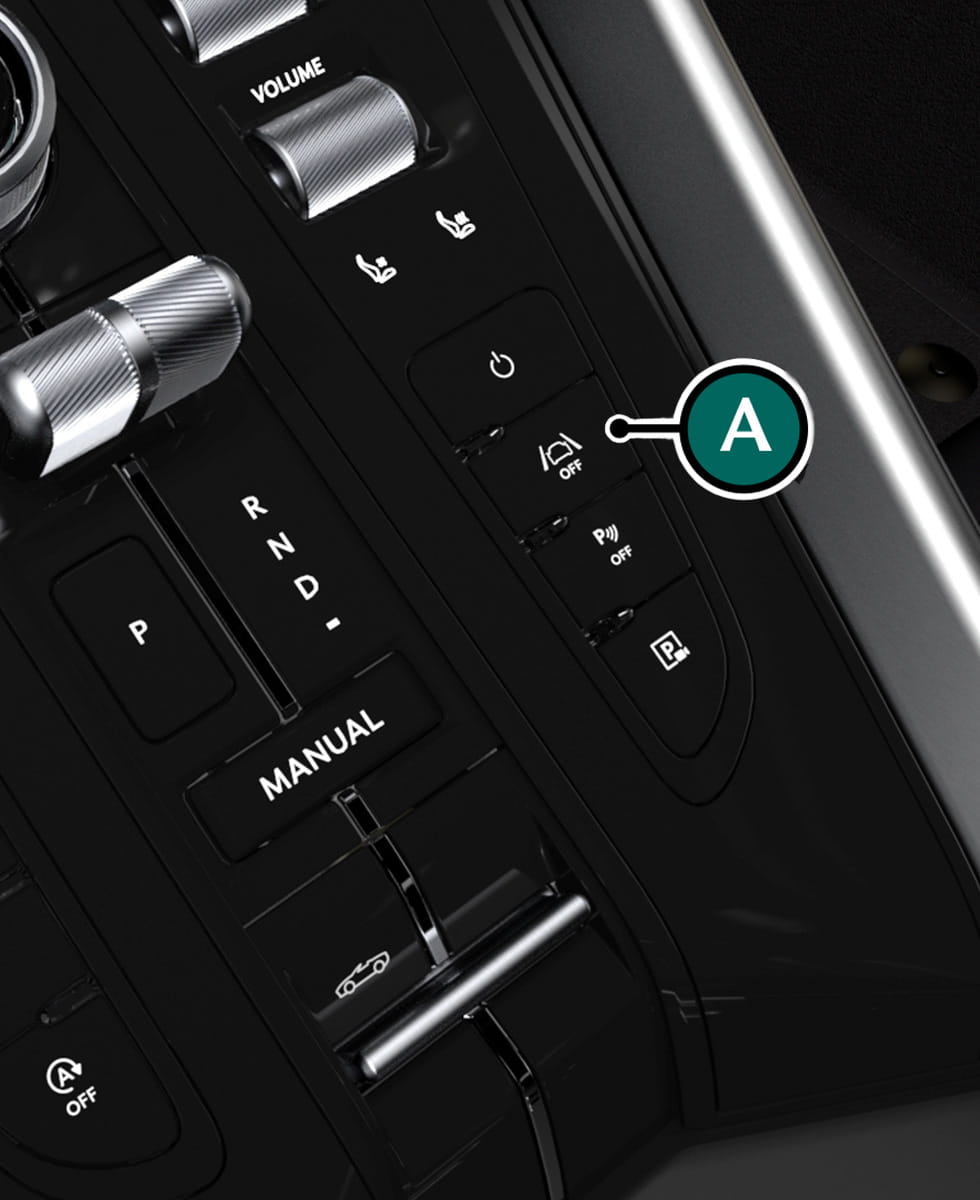
Press (A) to access the Assistance menu to adjust the driver aid systems for this vehicle.
Driver aids can be set to Full Assistance, Custom or No Assistance.
| Full Assistance | Custom Assistance | No Assistance |
|---|---|---|
|
In this mode, driver assistance features are activated. |
In this mode, driver assistance features can be individually set. By selecting custom, this will first ask if Lane Keep Assist is to be deactivated. |
In this mode, driver assistance features are deactivated. |
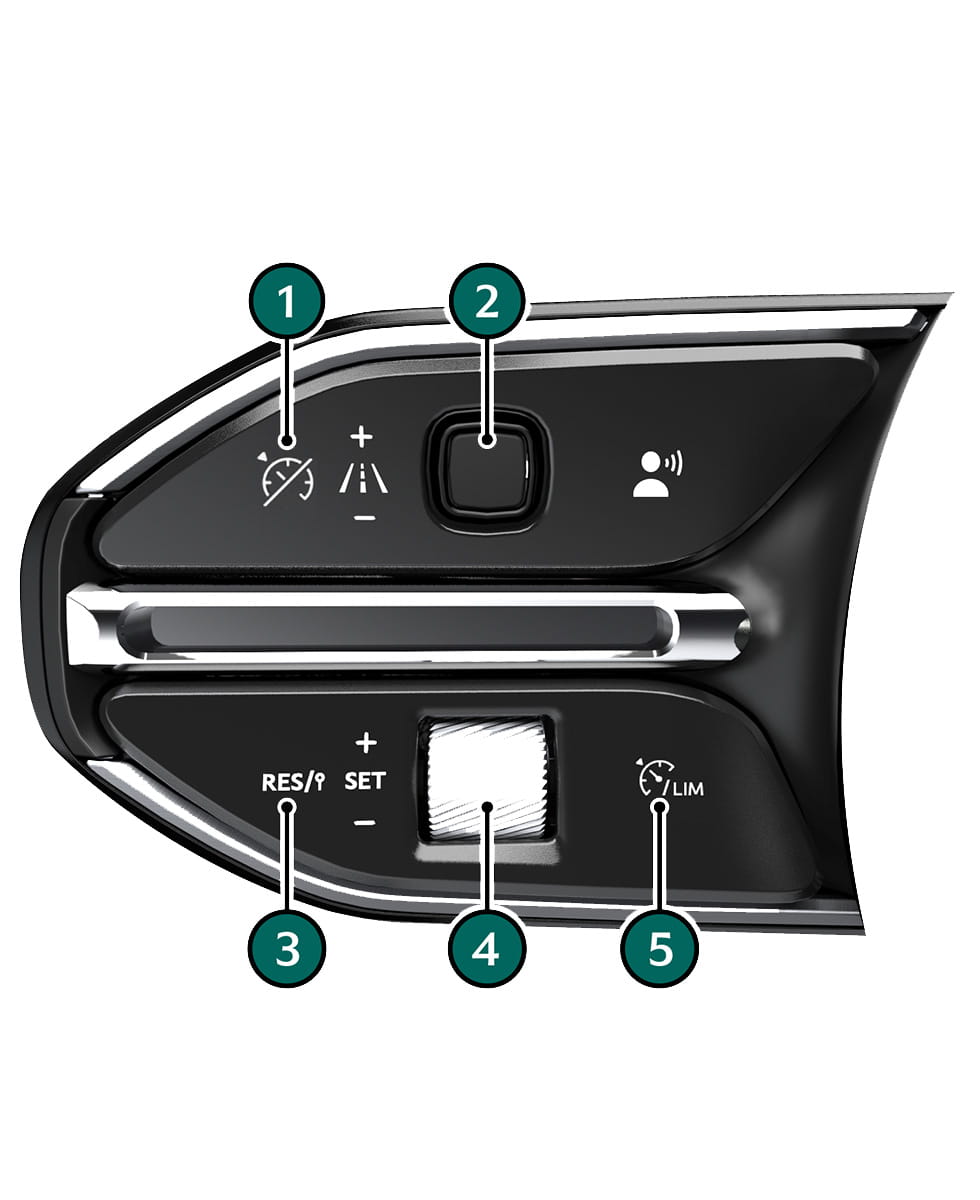
[1] : Cancel set speed.
[2] : Increase or decrease the set distance.
[3] : Resume set speed. Press a second time to set to the speed limit in the Traffic Sign Assist system.
[4] : Increases or decreases the set speed.
[5] : Switch between ACC and variable speed limiter.
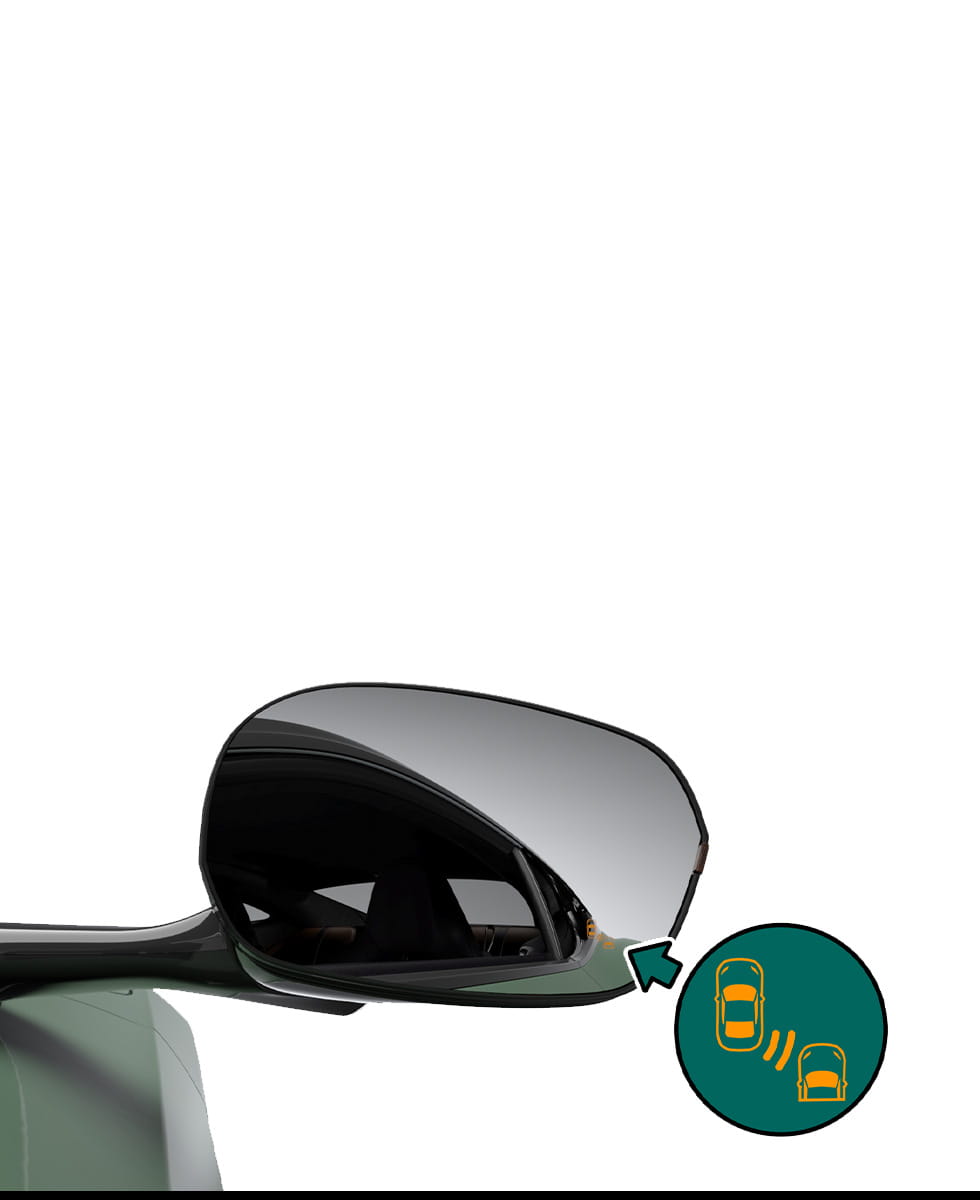
Stage One Warning
Warns when a vehicle is in blind spot area.
Stage Two Warning
Warns when vehicle in blind spot and indicator is on to move into that lane.
• The warning symbol in the door mirror will flash.• A warning symbol will show in the instrument cluster.
The Traffic Sign Assist system works with the navigation system to determine the road speed limit.
The Traffic Sign Assist functions:
• Displays the maximum permitted speed
• Indicates overtaking restrictions
• Displays a warning if the vehicle is driven the wrong way on a one way street
• Updates without a visible traffic sign. For example, when driving from one road, to another.
• Produces an audible beep and a flash of the indicated speed to display the change in road speed, including when the speed limit is exceeded.
Automatic Emergency Braking (AEB)
Automatic Emergency Braking (AEB) is used to reduce the risk of an accidental collision with a pedestrian or another vehicle. IMAGE is shown with audible warnings when a collision risk is detected. If necessary, AEB will assist in application of the brakes.
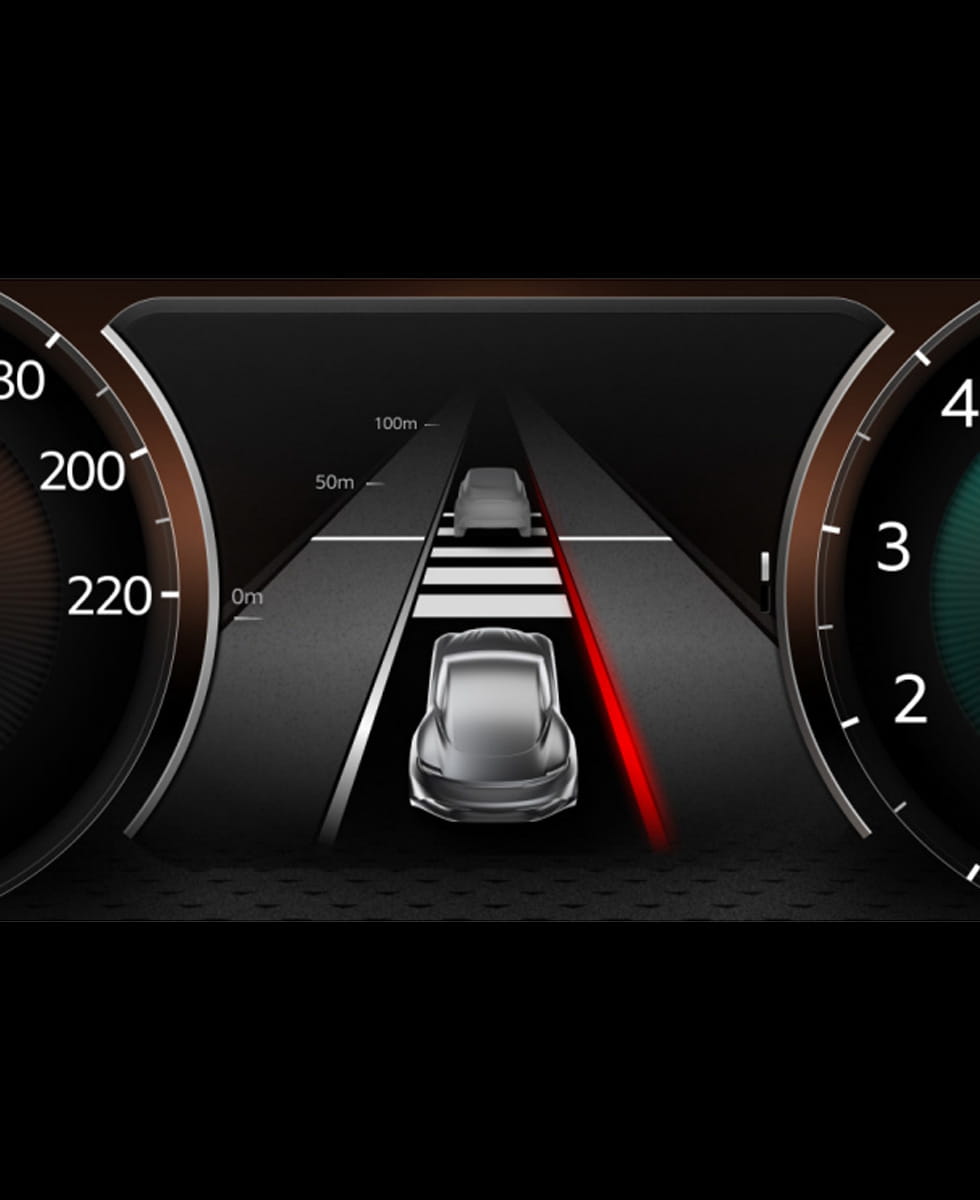
The lane assist systems detect lane markings and increase in level of assistance offered:
• Lane Departure Warning.
• Lane Keep Assist.
Lane Departure Warning
If a wheel passes over a lane marking, the steering wheel will vibrate and a warning will be shown in the instrument cluster.
Lane Keep Assist
If the vehicle continues to pass over the lane markings, Lane Keep Assist will briefly steer the vehicle back to it's initial lane.
To cancel corrective brake application:
• Indicate.
• Brake.
• Accelerate.
• Steer back into the lane
Tap to access the phone menu.
Available devices will be shown with the option to connect to individual devices. The Device Manager button will also be available to manage individual devices.
To connect a device, select it from the list and tap connect.
Media System
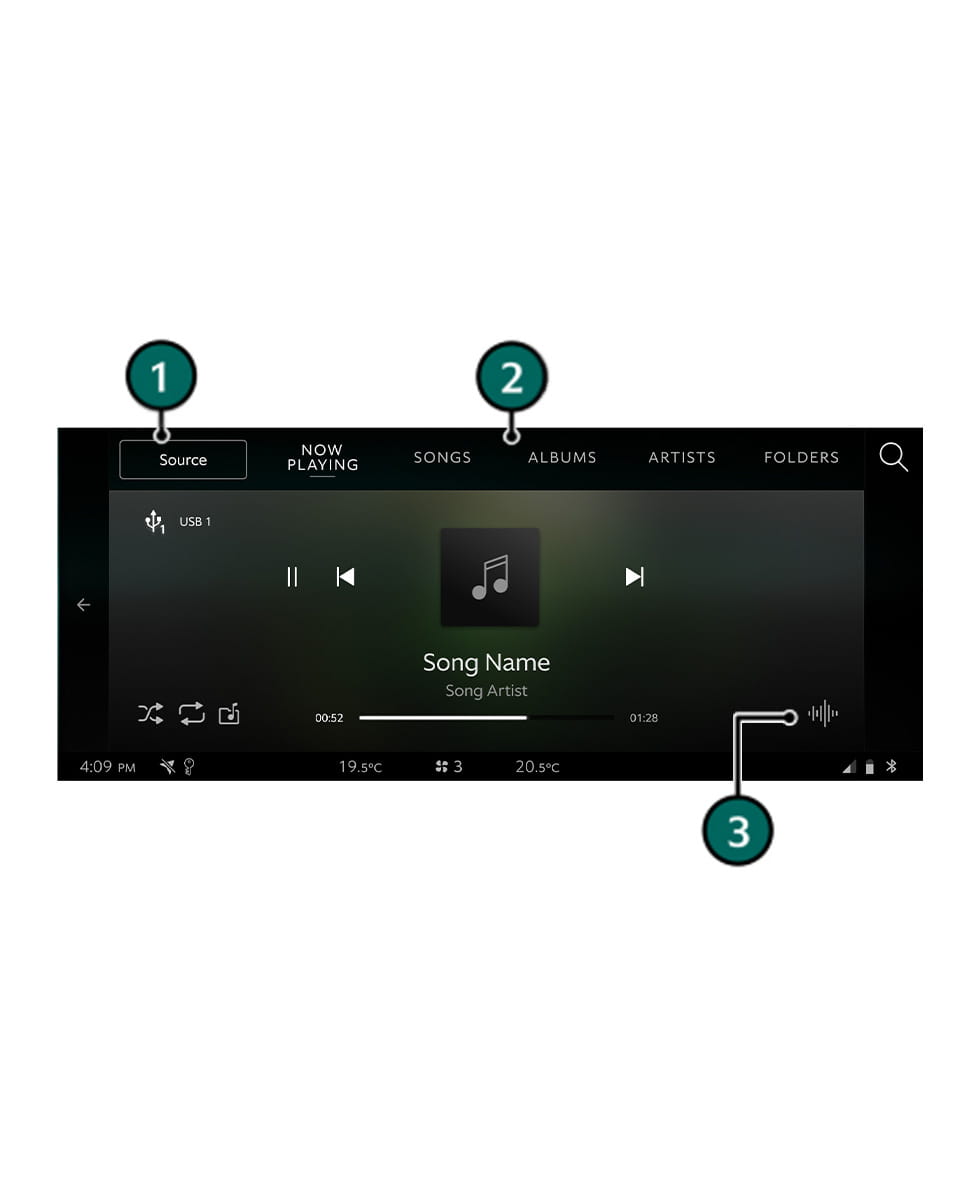
Tap to access the media systems.
[1] : Media Source
[2] : Media
[3] : Settings
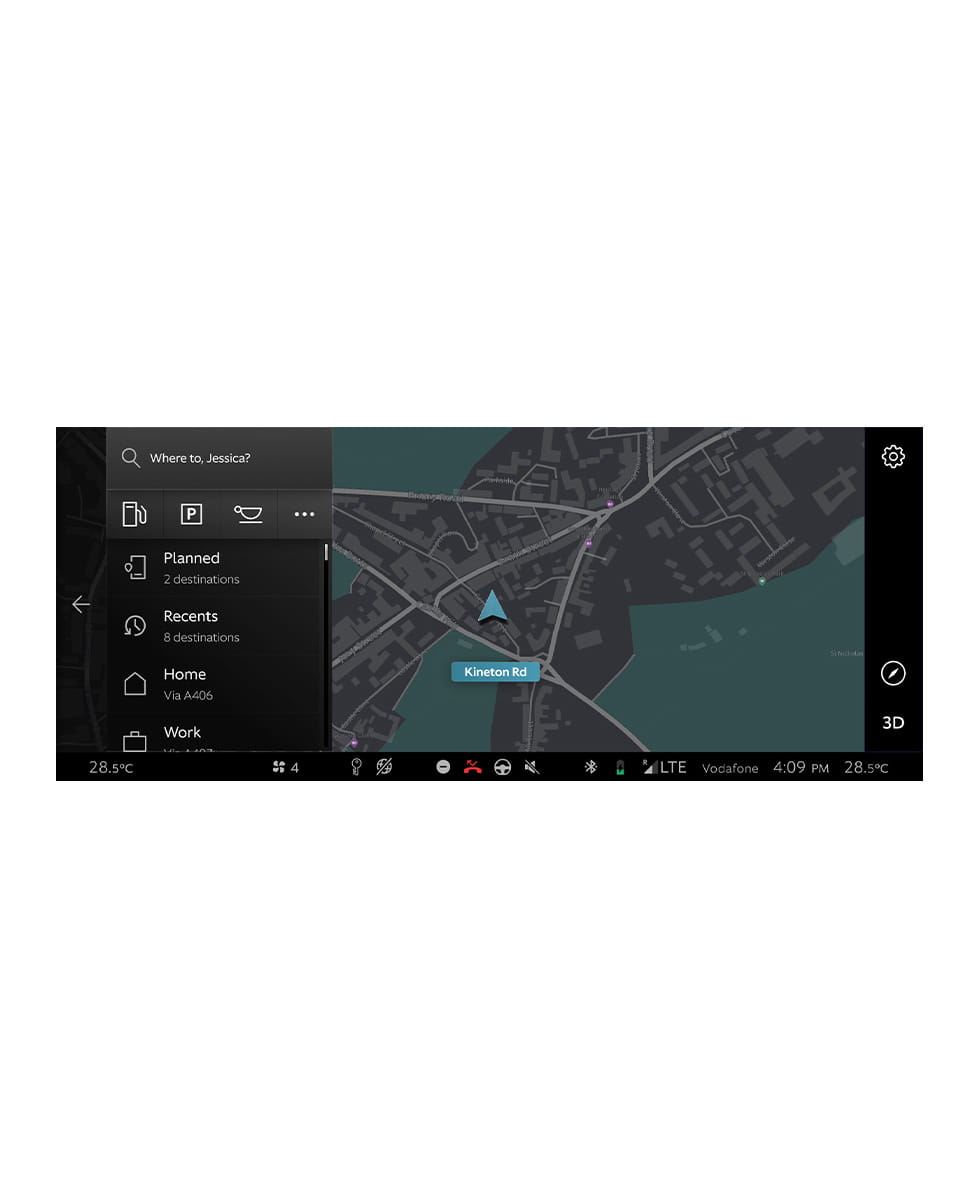
Tap arrow to access navigation.
Tap Where to? to input an address or select a saved location.
Apple CarPlay/Android Auto Setup
To connect an Apple device:
1. Follow the on-screen instructions during Bluetooth pairing to set up Apple CarPlay.
2. Once set up is complete, Apple CarPlay Auto will automatically launch.
To connect an Android device:
1. Use a USB cable to connect the device to one of the USB-C ports.
2. Follow the on-screen instructions to set up Android Auto.
3. Once set up is complete, Android Auto will automatically launch.
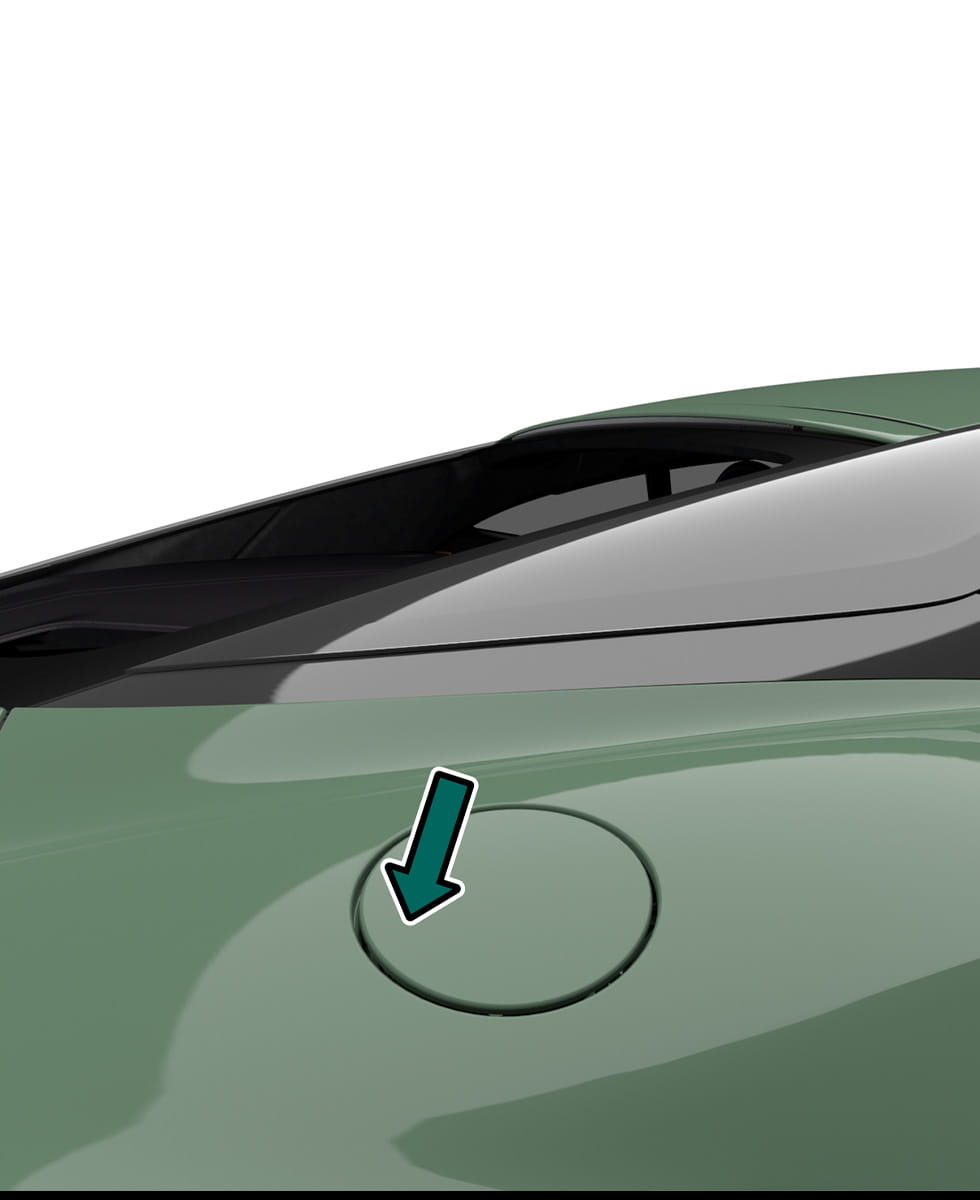
With vehicle unlocked, press on the rear edge of the fuel flap to open.
Minimum 95 RON unleaded fuel, recommended 98 RON Super unleaded for optimum performance.

The battery conditioner uses a magnetic disc to attach to the charger socket. To connect the battery conditioner, attach the charger plug onto the charger socket.
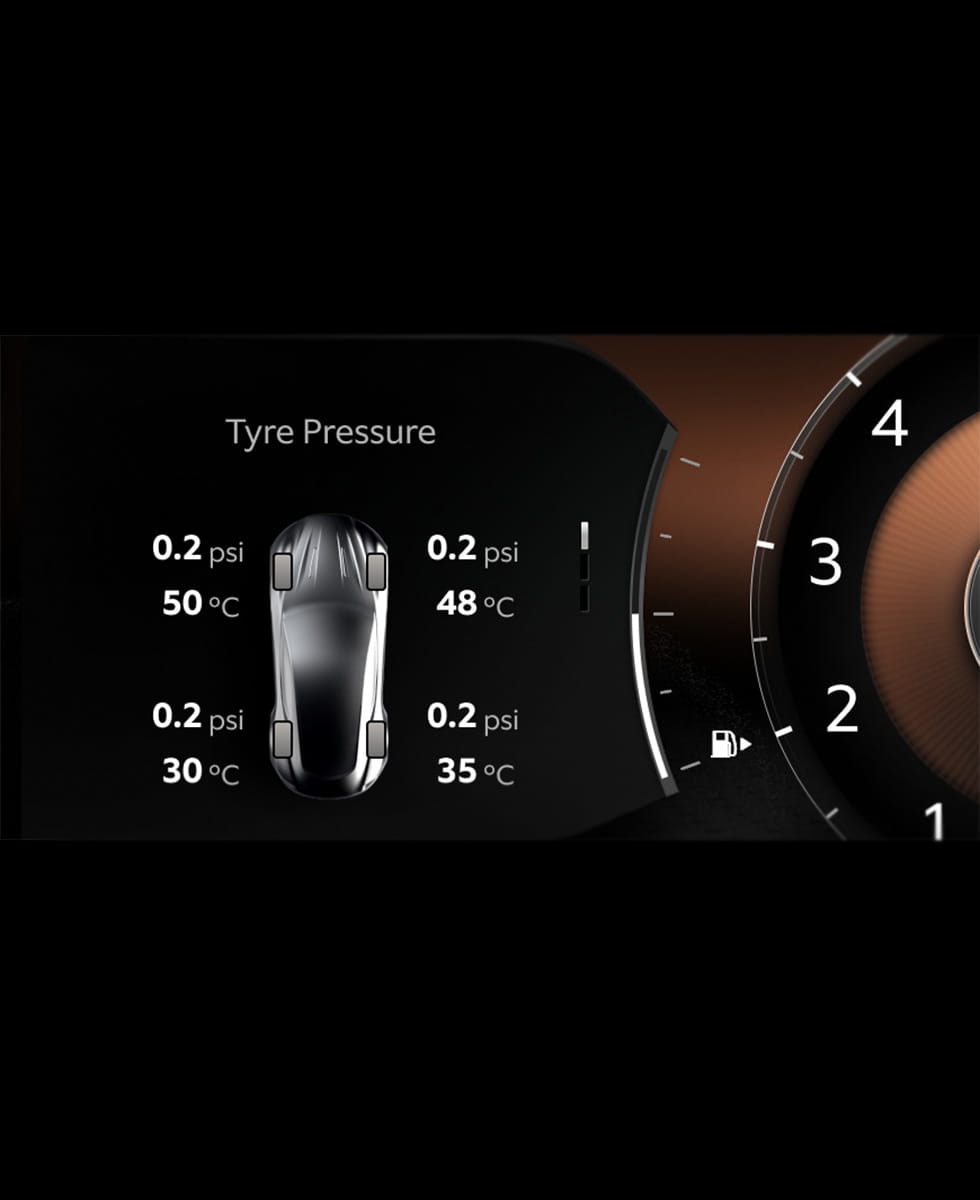
Accessed through Vehicle in the instrument cluster menu. Shows the pressure and temperature in each tyre.
To reset the TPMS tyre pressure values, press and hold the OK button on the steering wheel and again to confirm.
The warning signs shown provided important alerts and information about your DB12:
| Icon | Warning Symbol | Icon | Warning Symbol |
|---|---|---|---|
 |
Seat Belt Reminder |  |
Lane Departure Warning |
 |
Rear Foglamp |  |
Suspension Failure |
 |
Side Lamps |  |
ABS |
 |
Dipped Beam Headlamps |  |
Brake Warning |
 |
Main Beam Headlamps |  |
Brake Warning Severe |
 |
Auto Main Beam Headlamps |  |
GPF Stage 1 Warning |
 |
Eco Stop Start Available |  |
GPF Stage 2 Warning |
 |
Eco Stop Start Not Available |  |
Malfunction Indication Lamp (MIL) |
 |
Electric Park Brake Applied |  |
Electric Park Brake Failure |
 |
Active Brake Assist Warning |  |
Tyre Pressure Monitor Warning |
 |
Active Brake Assist Off |  |
Battery Fault |
 |
Active Cruise Control |  |
Speed Limiter |
 |
ESP Status |  |
Power Steering Fault |
 |
Lamp Failure |  |
Occupant Restraint Fault |
 |
Park Sensors |  |
Exhaust Mode |